Case study
Giving a vendor-unsupported keypad a native Linux workflow
Built a Linux driver and local React configuration app for the Huion Keydial Mini K20, remapping all 18 keys and its dial over Bluetooth or USB.
-
Situation
The K20 presented fixed keyboard input and had no useful Linux configuration path. Using it as a programmable creative-workflow controller required both an input-layer driver and a way to configure it without editing files by hand.
-
Constraints
The same path had to work over Bluetooth and USB, suppress the original keystrokes, preserve user-level security, update mappings without service restarts, and remain understandable to people who did not want to operate a driver from the terminal.
-
Decision
Grab the device through Linux evdev, emit chosen actions through uinput, run the driver as a user service, persist profiles as YAML, and expose the same behavior through a CLI, local HTTP/WebSocket API, and React/Vite interface.
-
Tradeoff
The result is Linux-specific and presently alpha software maintained by one person. Installation still requires one-time device-access and service setup, and command execution is constrained rather than delegated to an arbitrary shell.
-
Outcome
The public MIT-licensed implementation supports all 18 buttons and the dial, shortcuts, multi-step macros, application launch, profile switching, live input feedback, Bluetooth and USB operation, CLI control, and visual configuration.
-
Retrospective
Separating hardware input, action mapping, and configuration behind a local service made the driver usable from more than one interface. Broader hardware support and simpler packaging are still open.
Detail
Keydial Commander is public source under the MIT license. Its architecture keeps device access, action mapping, and presentation separate: the driver owns the hardware path, the local service owns profiles and live updates, and the CLI and web interface are two clients of the same capability.
Diagram as text
Parts
- Keydial Mini K20: 18 keys and a dial
- Hardware path
- Linux evdev: grabs the device
- Driver: runs as a user service
- Linux uinput: emits the chosen actions
- Local service: profiles (YAML) and live updates
- Same behavior
- CLI
- Local API: HTTP/WebSocket
- Web interface: React/Vite
Connections
- Keydial Mini K20 to Linux evdev (Bluetooth or USB)
- Linux evdev to Driver
- Driver to Linux uinput
- Local service to Driver (live updates)
- CLI to Local service
- Local API to Local service
- Web interface to Local service
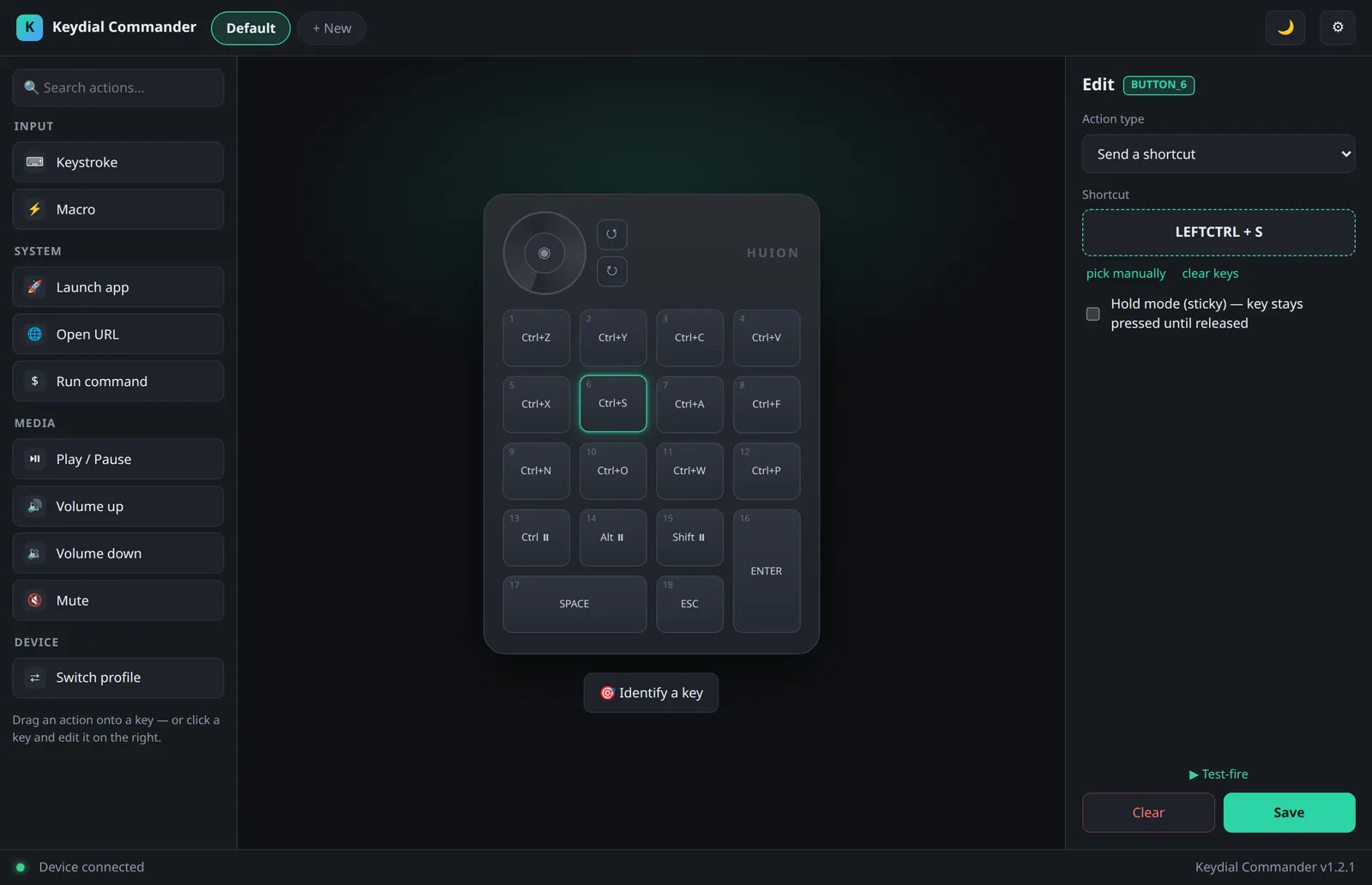
That boundary is what turns a one-off input hack into a maintainable tool. Linux is the supported platform, and packaging is still evolving.
Next case study: Turning one product’s knowledge into answers for product, QA, and developers